


Most people want a laptop that works, and if they have the money, the one they want is a Mac. It’s beautiful and it’s fast, and for the work most people do it’s far more powerful than they need. When it goes wrong, you’ll struggle to get it fixed anywhere but Apple, and that’s an afterthought for most buyers, if it comes up at all.
Apple does sell genuine parts and repair manuals to the public through its Self Service Repair scheme, which covers Mac laptops in the UK. Apple says it’s meant for people with experience of repairing electronics. What nobody can change is the memory or the storage, because both are fixed when the machine is made. That’s why Apple offers AppleCare+ with every Mac: once the cover runs out, a serious fault can mean a new laptop. A laptop shouldn’t be disposable, and it doesn’t need to be.
What Do You Use It For?
When someone tells me they need a Mac, or a Windows laptop, I ask what they do on it. Usually the answer is a web browser, some spreadsheets and a bit of word processing.
Some people play games. If that’s you, buy a gaming machine, and if you can, buy a desktop rather than a laptop. You get far more for your money and it lasts longer, because you can replace the parts one at a time.
For everyone else, what matters is a dependable machine you can carry around. The battery should get you to the office and back, or through a flight of a few hours. That means four to six hours of real use, video included, because streaming Netflix or YouTube is the hardest work most laptops ever do.
Office software doesn’t need much either. The web versions of Microsoft 365 are always the current version, with nothing to install or patch. They do less than the desktop apps, which I still install because I prefer them, but for letters and spreadsheets you’ll rarely miss anything.
Why Chromebooks Appeal
That’s why Chromebooks are popular with people whose needs are simple, and there’s nothing wrong with not needing much. A Chromebook is a laptop built around a web browser, with most of the work done online. You can’t install ordinary Windows or Mac programs on it, though most will run Android apps. It also ties you to Google, which for me rules it out.
If you want more than that, look for a flexible machine you can get support for, with a battery that lasts the day and enough power to keep about 30 browser tabs open, a video stream included, while you work.
Repairability and Upgrades
The first thing I look for is a laptop that can be repaired. When the screen breaks, you want someone to be able to replace it.
The second is upgrades. If your work changes and you need more memory, or you just want more tabs open at once, you should be able to add it. If you start taking more photos or want to carry videos when you travel, you should be able to fit a bigger drive. You’d expect that of any laptop, and you’ll struggle to find it on a consumer model now. Apple doesn’t let you upgrade anything, so the budget you have on the day you buy sets the machine you’re stuck with. On a laptop with slots, a bigger budget next year buys more memory or storage rather than a new laptop.
I’d add the wireless card to that list. Wi-Fi is the one connection most people can’t do without, and Bluetooth improves a little with every generation. I’d want Wi-Fi 6E at a minimum, and a card I can swap when something better comes along.
Enough Ports
The third thing is the sockets. If you plug in a keyboard, a mouse and a monitor at your desk, at work or at home, you need enough ports for all of them, with some to spare.
That’s where most ultralight laptops fall short. They have just about enough ports for a desk setup and nothing more, so a USB stick or a backup drive means buying an adapter. The MacBook Air has two USB-C ports and a headphone socket. An adapter isn’t the end of the world, but it’s one more thing to budget for and carry.
I’d rather buy a machine with enough ports, and that includes a network socket for a cable. A wired connection is more stable than the best Wi-Fi, and harder for anyone nearby to listen in on.
Buy Used, and Buy a Business Model
It doesn’t need to be new. I’d always buy used, because I don’t need the latest machine, and most people don’t either. A £2,000 laptop loses a large part of its value in its first couple of years. If you want something that performs well rather than the newest model, buy one that’s three years old. A four or five year old machine can still give you everything you need, for a fraction of what it cost new.
A new laptop comes with a warranty, and it covers less than people expect. A manufacturer’s warranty covers parts that fail on their own, and in a well-made business laptop that’s rare. It won’t pay for a cracked screen after a drop, and the battery is the part that wears out with ordinary use.
So buy a good used machine, and buy one made for companies rather than for the high street. Business laptops are the ones that can be upgraded and repaired, and they’re built to take a beating. My favourites are Lenovo’s ThinkPads, and Dell and Acer make good ones too, as long as you buy the corporate range. Skip the cheapest models a company buys because staff need something to type on, and look for the ones it buys when it cares whether its people get work done.
Check the exact model before you buy, because even business ranges vary. The slimmest models often have the memory soldered to the board, while the thicker ones in the same range take a standard memory stick.
What It Costs
A good used ThinkPad costs between £300 and £600, and that gets you everything in this post. It will run nearly anything you need, light gaming included. If something breaks, any computer shop can replace the screen without swearing at it, or swap the battery, and on most models you can replace the keyboard and the other parts inside too. That’s the idea behind the Digital Repair Café in Milton Keynes: bring a laptop and learn to fix it yourself.
I’d run Windows 11 Pro on it. A used business laptop usually comes with a Pro licence already, so it costs you nothing extra. Pro adds BitLocker, the full version of Windows drive encryption, which keeps your files unreadable if the laptop is stolen. Home only has a simpler version. If you go older than about five years, check the machine meets Microsoft’s requirements for Windows 11 before you buy, because a laptop that can’t get security updates is no bargain.
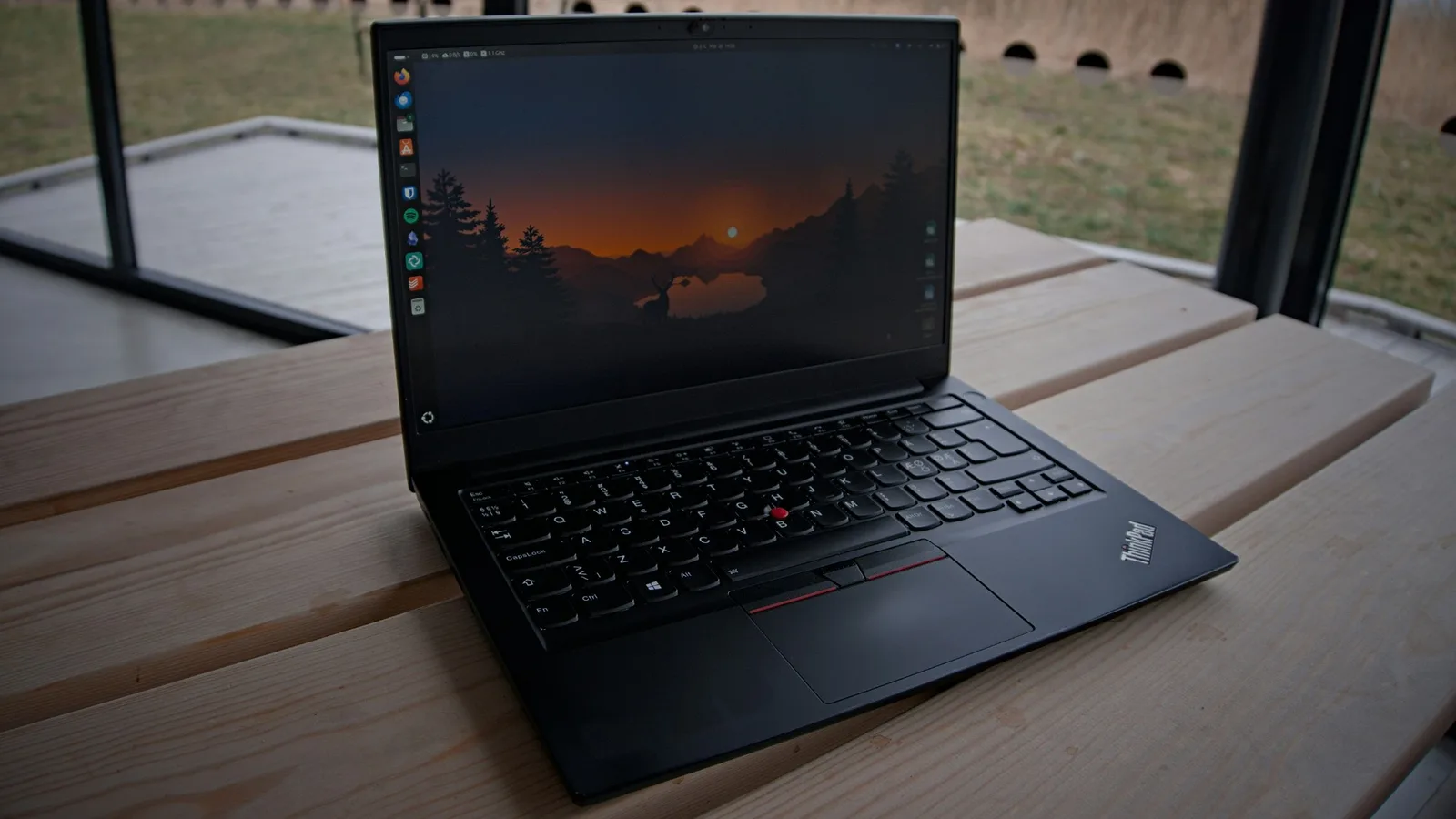
If you’re feeling brave and want every bit of speed and fun the machine has in it, install Linux. The ThinkPad in the photo above is running Ubuntu.
The Bottom Line
Most people need a laptop that runs a web browser all day on one charge, and many pay for a lot more than that. Buy a used business laptop you can repair and upgrade, with enough ports for your desk. A three to five year old ThinkPad costs a fraction of a new MacBook, and any computer shop can keep it going for years.
What’s Your Experience?
What do you look for when you buy the laptop you work on? Tell me through social media.
If you’d like a second opinion before you buy, the 15-minute assessment is free: book a call.
Photo by Eddie Sennov on Unsplash